
jobdesk
Operations
Every request that comes in becomes a job with an owner.
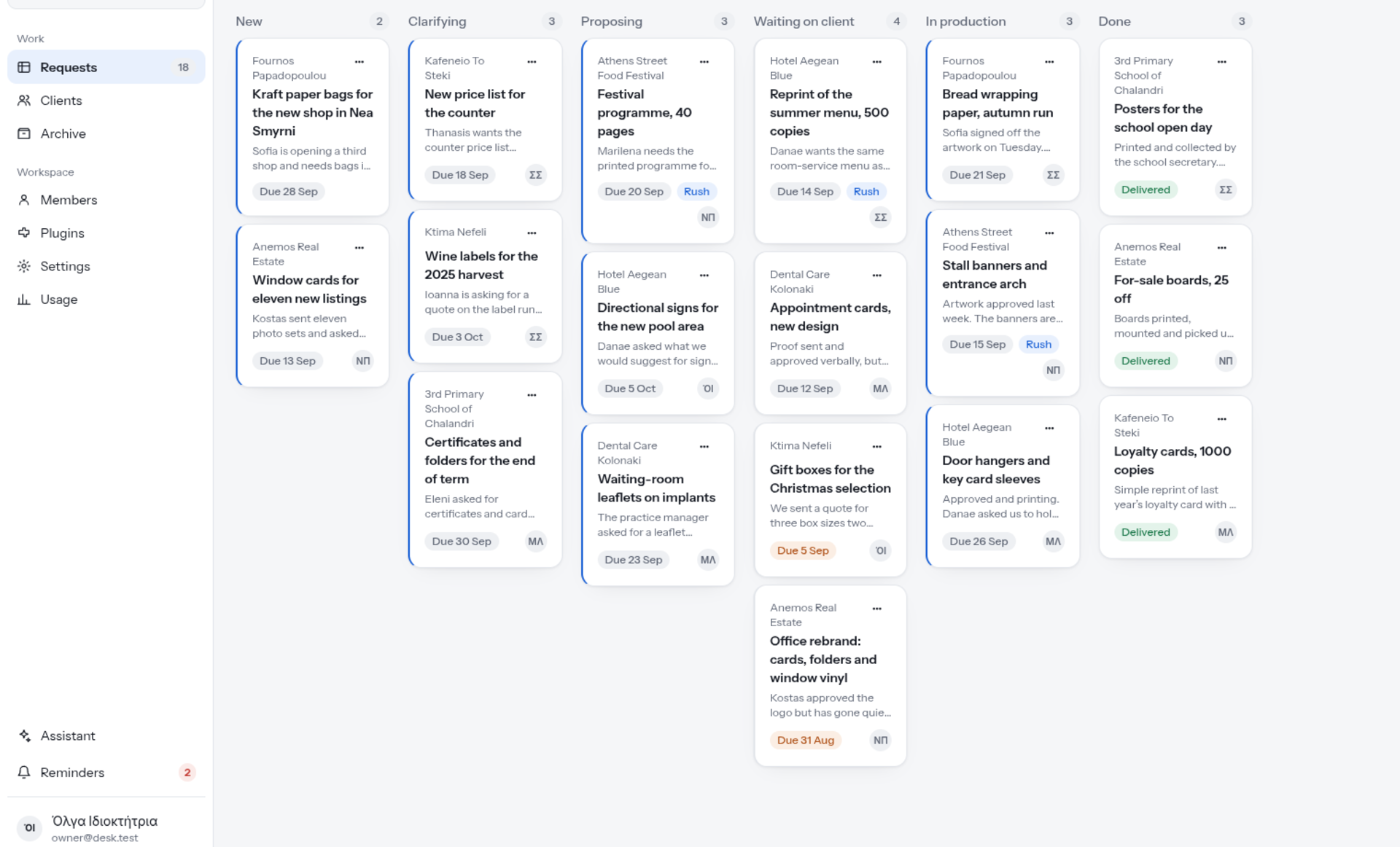
A shared board for everything that comes in. Each request becomes a job with an owner, a stage and a history, so nobody has to ask twice where things stand.
Start a conversationBefore and after.
Before
Requests arrive by email, by phone and through forms. They end up in different inboxes and notebooks, and nobody is quite sure who owns which one.
After
Every request becomes a job on one board, with an owner, a stage and a due date. Anyone on the team can see where each piece of work stands.
What it does.
-
One board, every stage
Each request is a card in the stage it has reached, from the moment it arrives until it is done.
-
An owner and a due date
Every job shows who is handling it and when it is due, and urgent work is marked as a rush.
-
The brief on the job
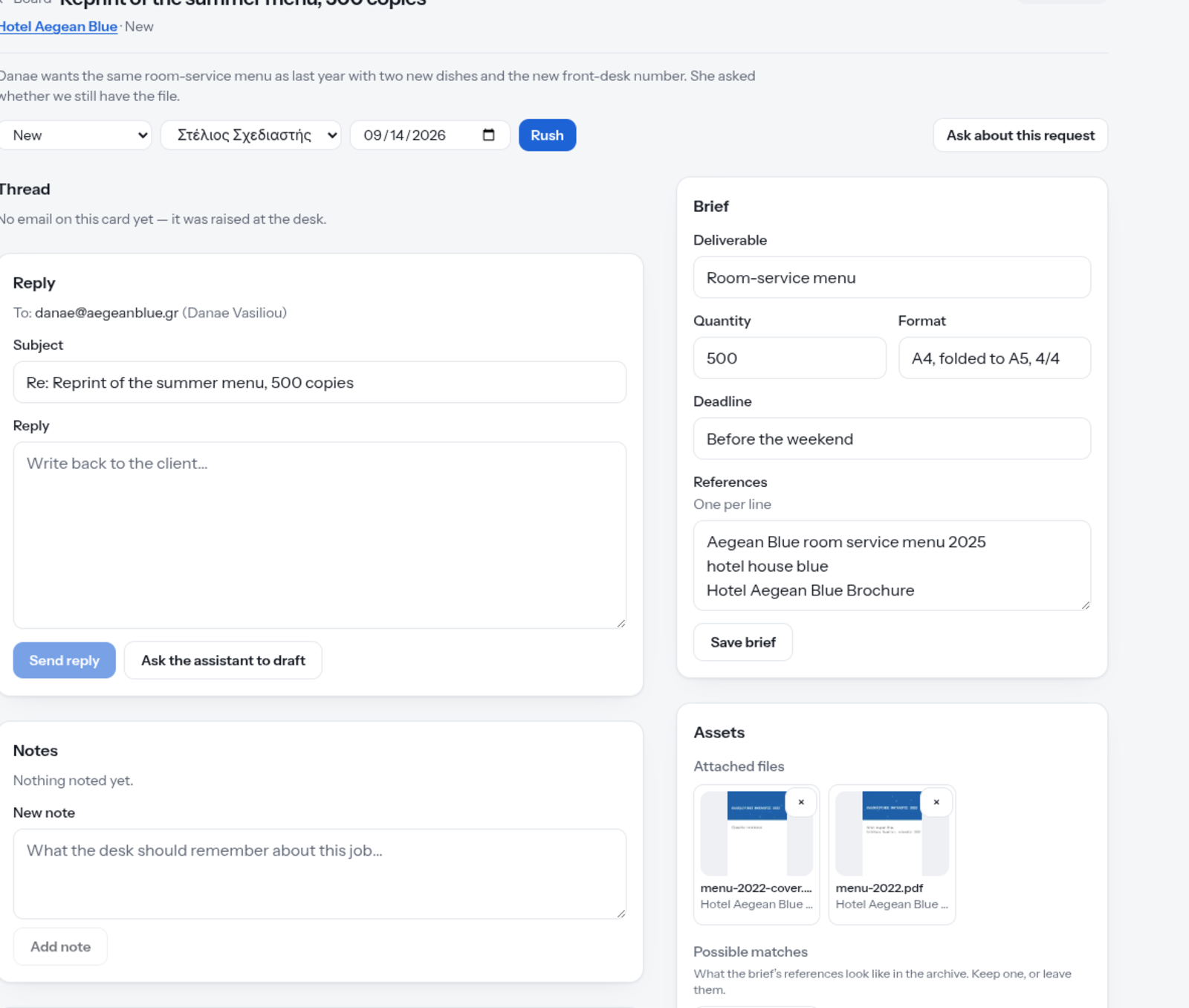
What is needed, how many, in what format and by when, with references, written on the job rather than lost in someone's inbox.
-
Replies with a draft ready
Write back to the client from the job itself, and ask the assistant to draft the reply for you.
-
Notes, files and past work
The team's notes and the attached files stay with the job, and jobdesk suggests matching items from the archive based on the brief's references.
A look inside.
Who it is for.
Teams that take requests from customers or colleagues, by email, by phone, through a form or at the front desk, and need to know who is handling each one.
- Front desks
- Customer service
- Support teams
It keeps getting better.
Khaos hosts and maintains jobdesk. We watch how teams use it, listen to their feedback, and release improvements every few weeks, so the board keeps fitting the way you work.
Tell us what's slowing you down.
A few lines are enough. A person reads every message and replies within two working days.
Also from Khaos enrolla Online enrollment for every school, each on its own site.